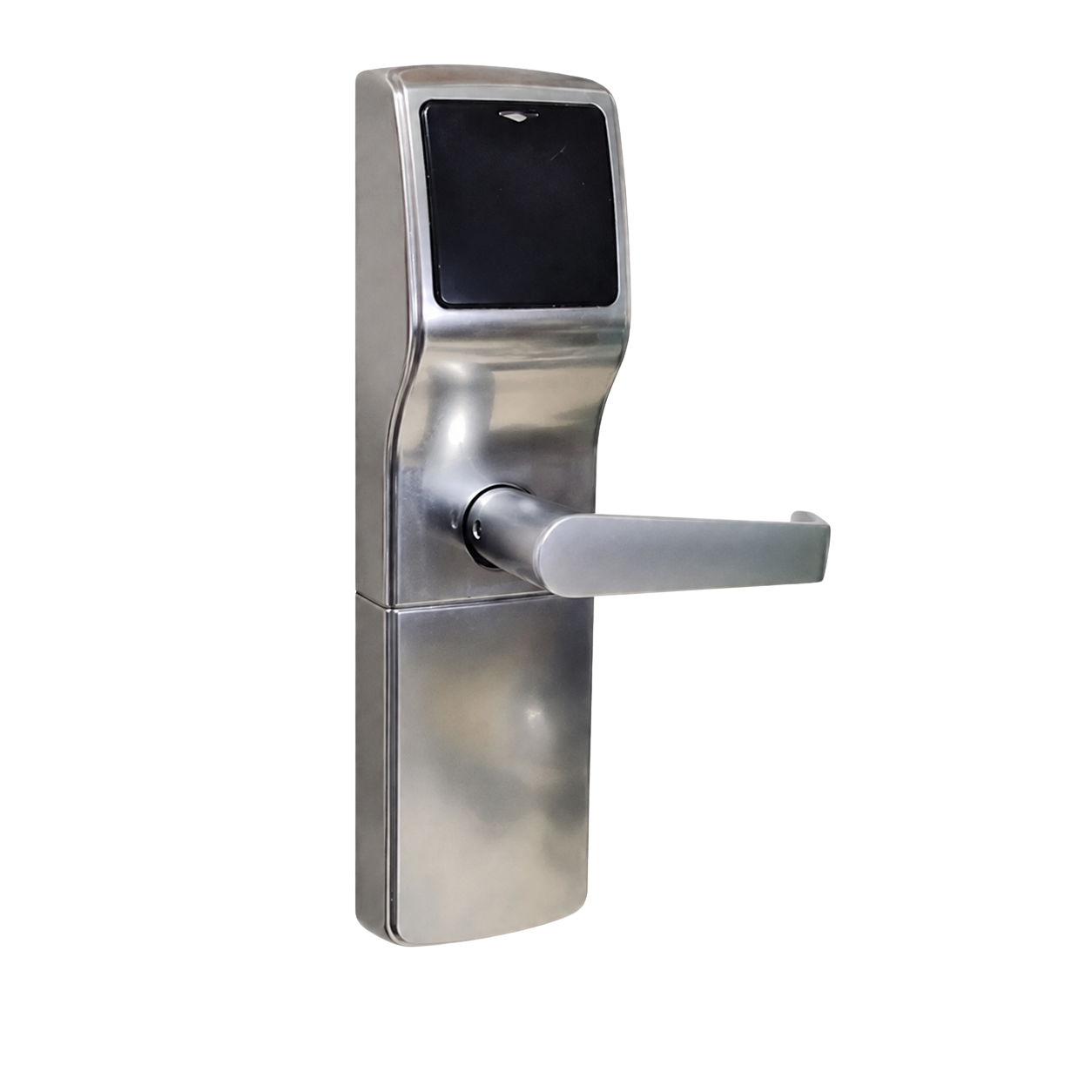
When a hotel calls AccuLock for parts, repair, or a refurbished replacement lock, one of the first questions we may ask is:
What kind of lock do you have?
A common answer is:
“It’s an AccuLock.”
Sometimes that answer is correct. The property may have an AccuLock System One or AccuLock System Two. But in many cases, “AccuLock” means the lock was purchased, repaired, or refurbished by AccuLock—not that AccuLock originally manufactured the lock.
AccuLock repairs and sells refurbished hotel locks from several manufacturers. A hotel may have purchased a refurbished Onity, Kaba–Ilco, Ving, or other legacy lock from us years ago. As employees change and time passes, the lock may naturally become known around the property as “the AccuLock.”
We understand how that happens. However, identifying the original manufacturer and model is important when ordering parts, requesting a repair, or trying to match an existing lock.
AccuLock has supplied hotels with repaired and refurbished locks for many years. When a property receives a lock from us, the shipping paperwork, invoice, or internal maintenance records may identify AccuLock as the supplier.
That does not necessarily change the lock’s original manufacturer or model.
For example, a lock purchased from AccuLock may still be:
The distinction matters because parts are not interchangeable between every manufacturer, model, or generation.
Two locks may look similar from the hallway but use different internal components, readers, handles, circuit boards, mortises, or programming equipment.
Accurately identifying a hotel lock helps us determine:
Without the correct manufacturer and model, there is a greater chance of ordering the wrong part or sending equipment that does not match the hotel’s system.
A clear identification at the beginning can save time for the hotel and help our team provide a more accurate answer.
Start With the Original Manufacturer
The first thing we need to determine is who originally manufactured the lock.
AccuLock currently maintains parts and repair support for selected lock families from AccuLock, Kaba–Ilco, Onity, and Ving.
AccuLock
Actual AccuLock systems include:
If the property has one of these systems, identifying it as an AccuLock is appropriate. We may still need to know which AccuLock system and which component requires attention.
Kaba–Ilco
Supported Kaba–Ilco lock families include:
Onity
Supported Onity lock families include:
Ving
Supported Ving lock families include:
AccuLock also supports selected related access-control and front-desk equipment. Parts and repair availability can vary by model, component, and condition.
The Lock’s Appearance May Not Tell the Whole Story
Many hotel locks have a similar overall shape. A hallway view may show a handle, reader, and escutcheon, but it may not reveal the exact model.
Different versions within the same product family may also use similar housings. A lock may have been repaired previously, or an individual component may have been replaced with a compatible part from another version.
That is why one general photograph is not always enough.
When possible, send several clear photographs from different angles.
The following images can help AccuLock identify the manufacturer, model, and components more accurately.
1. Outside Escutcheon
Take a clear photograph of the entire outside portion of the lock from directly in front of the door.
Make sure the image shows:
Avoid taking the photo from too far away. We need to see the lock clearly, not the entire guestroom entrance.
2. Inside Escutcheon
Photograph the complete inside portion of the lock.
The inside housing, battery cover, thumb turn, and handle design may help distinguish one model from another.
3. Manufacturer Labels and Model Numbers
Look for labels, engraved names, stickers, numbers, or other markings.
They may appear:
Do not remove components unless hotel maintenance staff can do so safely and without damaging the lock.
4. Door Edge and Mortise
A photograph of the door edge can help identify the mortise, latch, or locking mechanism.
Include the full metal faceplate and any markings visible on it.
5. Key Card or Credential
Tell us what type of credential the hotel uses.
For example:
A photo of the card can sometimes help, but do not send guest information or active access details.
6. Front-Desk Encoder
If the issue involves making guest keys, include a clear photograph of the encoder used at the front desk.
Show:
7. Portable Programmer or Handheld Device
If the property uses a handheld programmer, portable programmer, or other service device, send photographs of that equipment as well.
The programmer can provide an important clue about the lock family and system generation.
Tell Us What the Lock Is Doing
Correct identification is only part of the process. We also need a clear description of the problem.
Instead of saying only that the lock “does not work,” tell us what happens when someone tries to use it.
Helpful details include:
Also tell us whether the issue began suddenly or has become worse over time.
The more specific the description, the easier it is to determine what should be checked next.
Before calling or emailing, gather as much of the following information as possible:
Do not worry if you cannot identify everything yourself. The photos and details may allow our team to help identify it.
What Not to Assume
A lock should not be identified only by:
Those details may be useful, but they are not always enough to confirm the model.
Hotels sometimes have more than one lock type on the property, especially after renovations, additions, or years of individual replacements. A photograph from one room may not represent every building or guestroom.
What Happens After Identification?
Once the lock is identified, AccuLock can better determine the available options.
Depending on the model and condition, those options may include:
Parts availability can change, and not every lock can be repaired. Identification allows us to give the property the most accurate answer possible.
Help Us Help You Faster
When we ask, “What kind of lock do you have?” we are not expecting every hotel employee to know the exact model immediately.
We are trying to determine what equipment is installed so we can provide the right parts, repair, or replacement options.
“It came from AccuLock” is useful information because it tells us where the property may have purchased or serviced the lock. But the original manufacturer, model, photographs, and description of the problem complete the picture.
A few clear photos can often save several phone calls and help our team begin evaluating the issue more quickly.
Send AccuLock clear photographs of the lock, any visible labels, the door edge, and the related front-desk equipment. Include a description of what the lock is doing and whether the problem affects one room or several rooms.
Our team will help determine what system you have and what repair, parts, or refurbished replacement options may be available.
AccuLock
The Original in Hotel Lock Repair.